
By using this site, you agree to the Privacy Policy and Terms of Use.
Accept
GeekBitzGeekBitzGeekBitz
  • Tech
  • Printers
  • Gift Ideas
  • Lifestyle
    • Personal Development
  • Make Money
  • Pages
    • Contact
    • Privacy Policy
    • Terms of Use
Search
  • Contact
  • Blog
  • Privacy Policy
  • Terms of Use
© 2025 GeekBitz.com . All Rights Reserved.
Reading: Targus Docking Station Not Detecting Monitor: Causes & Fixes
Share
Sign In
Notification Show More
Font ResizerAa
GeekBitzGeekBitz
Font ResizerAa
  • Tech
  • Printers
  • Gift Ideas
  • Lifestyle
  • Make Money
Search
  • Home
  • Categories
    • Tech
    • Entertainment
    • Lifestyle
    • Shopping
  • Bookmarks
  • More GeekBitz
    • Sitemap
Have an existing account? Sign In
Follow US
  • Contact
  • Blog
  • Privacy Policy
  • Terms of Use
© 2025 GeekBtz.com | All Rights Reserved.
GeekBitz > Docking Stations > Targus Docking Station Not Detecting Monitor: Causes & Fixes
Docking Stations

Targus Docking Station Not Detecting Monitor: Causes & Fixes

Brian
Last updated: May 18, 2026 7:38 am
Brian
Share
SHARE

If you recently purchased a Targus Docking Station and are experiencing trouble with it detecting your monitor, we understand the frustration and confusion you may be feeling. But don’t worry, we’re here to help! This article will provide you with a detailed guide on the causes and solutions to the “Targus Docking Station Not Detecting Monitor” issue.
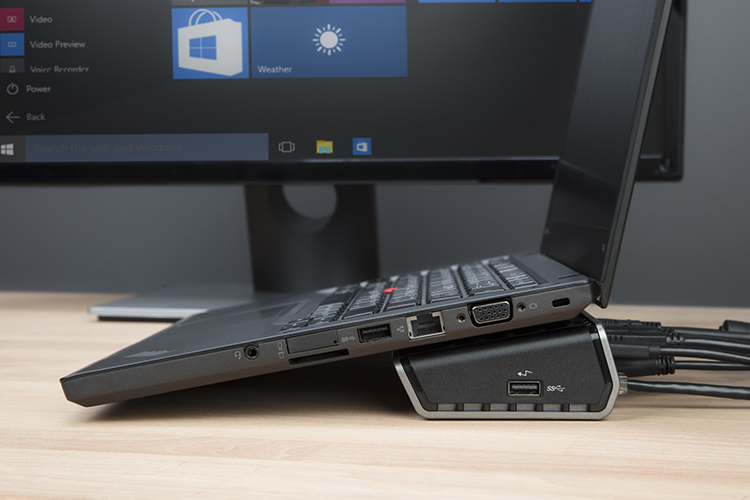
So please sit back, relax, read along and ensure you don’t miss any part as we provide a detailed guide.

If you’re having trouble with your Targus Docking Station not detecting your monitor, there are several possible reasons why.

The most common cause is a hardware issue, but it could also be a software issue. Here are some of the reasons why your Docking Station may not be detecting your monitor:

  • Faulty cable or ports
  • Incompatible settings configuration
  • Incompatible system requirements
  • Outdated drivers and graphics card
  • Other hardware malfunctions

Thankfully, there are several DIY fixes you can try to solve the problem. The following strategies should help you fix the issue:

  1. Check Hardware Components: Check if all hardware devices are plugged in correctly. Make sure all cables and connections are secure and that you have selected the correct I/O connection method. Additionally, check if your monitor is working efficiently by connecting it to another laptop.
  1. Restart Your Devices: Restart your devices, including your computer and docking station. This will create a new user session that can fix the problem and detect your monitor.
  1. Check System Requirements: Check if your docking station matches your system specs. If it doesn’t, you’ll need to replace it.
  1. Check The Display Settings: Adjust the display settings on your PC to fix an incomplete configuration.
  1. Update Docking Station Drivers: Install the latest driver for your Targus Docking Station to ensure it works correctly.
  1. Update Your Graphics Drivers: Update your computer’s graphics driver to ensure it effectively communicates with your docking station.
  1. Install Pending Windows Updates: Update your system’s operating system to ensure system compatibility fixes and incorporate security patches.

If none of these DIY fixes work, you can try restarting your graphics driver. Press the Windows key + Ctrl+Shift+B to restart your graphics driver, which should resolve any glitches causing the problem.

If none of the above problems can solve your docking station problem, please consider contacting your manufacturer’s support for further instructions on how to fix the problem. 


Other Relaed Guides on Docking Stations:

  • j5create docking station not detecting monitor
  • Best docking stations for hp pavilion laptops
  • Hp docking station not detecting monitor
  • Dell docking station not detecting the monitor
  • Ascrono vertical docking station hub review
  • Plugable USB 3.0 Docking Station not Detecting Monitor

You Might Also Like

Best USB-C Docking Stations in 2026: Top Picks for Every Budget and Setup
Plugable USB 3.0 Docking Station not Detecting Monitor: How To Fix
Ascrono Vertical Docking Station Hub Review: The Ultimate Docking Station for MacBook Users
5 Best Docking Stations for HP Pavilion Laptops in 2026
Dell Docking Station Not Detecting Monitor: Causes & Fixes

Latest Tech News

why is ionized air good for you
Why is ionized air good for you? Benefits and Problems
Air Purifiers
MSI GS63 Stealth-010 gaming laptop
MSI Gaming GS63 Stealth-010 Laptop Review: Pretty Great?
do air ionizers really work
Do air ionizers really work?
Air Purifiers
logitech g933 wireless gaming headset
Logitech g933 wireless Gaming Headset: Why I Love it
Share This Article
Facebook Copy Link Print
Share
ByBrian
Hello, I’m Brian. I’m a creator, designer, and the owner of the GeekBitz blog. I have a Computer Science background and taught myself digital marketing to fund my artistic pursuits. Now am addicted to developing products and building partnerships.
Previous Article Best Settings for LG Soundbar: Settings Overview
Next Article Hiboy S2 Scooter Won’t Turn On: How to Fix It

Latest News

Difference Between Trade And Profession
Education
Best Embroidery Machines for Monogramming
5 Best Embroidery Machines for Monogramming in 2026
Embroidery machines
Polar vs. Whoop: Which is the better fitness tracker?
Health & Fitness
Best License Plate Covers That Block Cameras in 2026 (Honest Buyer’s Guide)
Shopping

You Might also Like

HP Docking Station Not Detecting Monitor: Causes & Fixes

6 Min Read

J5create Docking Station Not Detecting Monitor: How to Fix

6 Min Read
// GeekBitz
GeekBitzGeekBitz
Follow US
© 2026 GeekBitz. All Rights Reserved.
  • Tech
  • Printers
  • Gift Ideas
  • Lifestyle
  • Make Money
  • Pages
Welcome Back!

Sign in to your account

Username or Email Address
Password

Lost your password?
